Review and installRécapitulatif et installation
One last check — especially the Jellyfin address your apps will use at home — then the installation itself, in a few seconds.Une dernière vérification — surtout l’adresse de Jellyfin que vos applications utiliseront à la maison — puis l’installation elle-même, en quelques secondes.
The summaryLe récapitulatif
A last look before anything is applied: the chosen Jellyfin, the administrator, the metadata language, the libraries to create (or “Nothing created” for a Jellyfin already set up), the recommended settings ticked.Un dernier coup d’œil avant que rien ne soit appliqué : le Jellyfin choisi, l’administrateur, la langue des métadonnées, les bibliothèques à créer (ou « Aucune création » pour un Jellyfin déjà configuré), les réglages conseillés cochés.
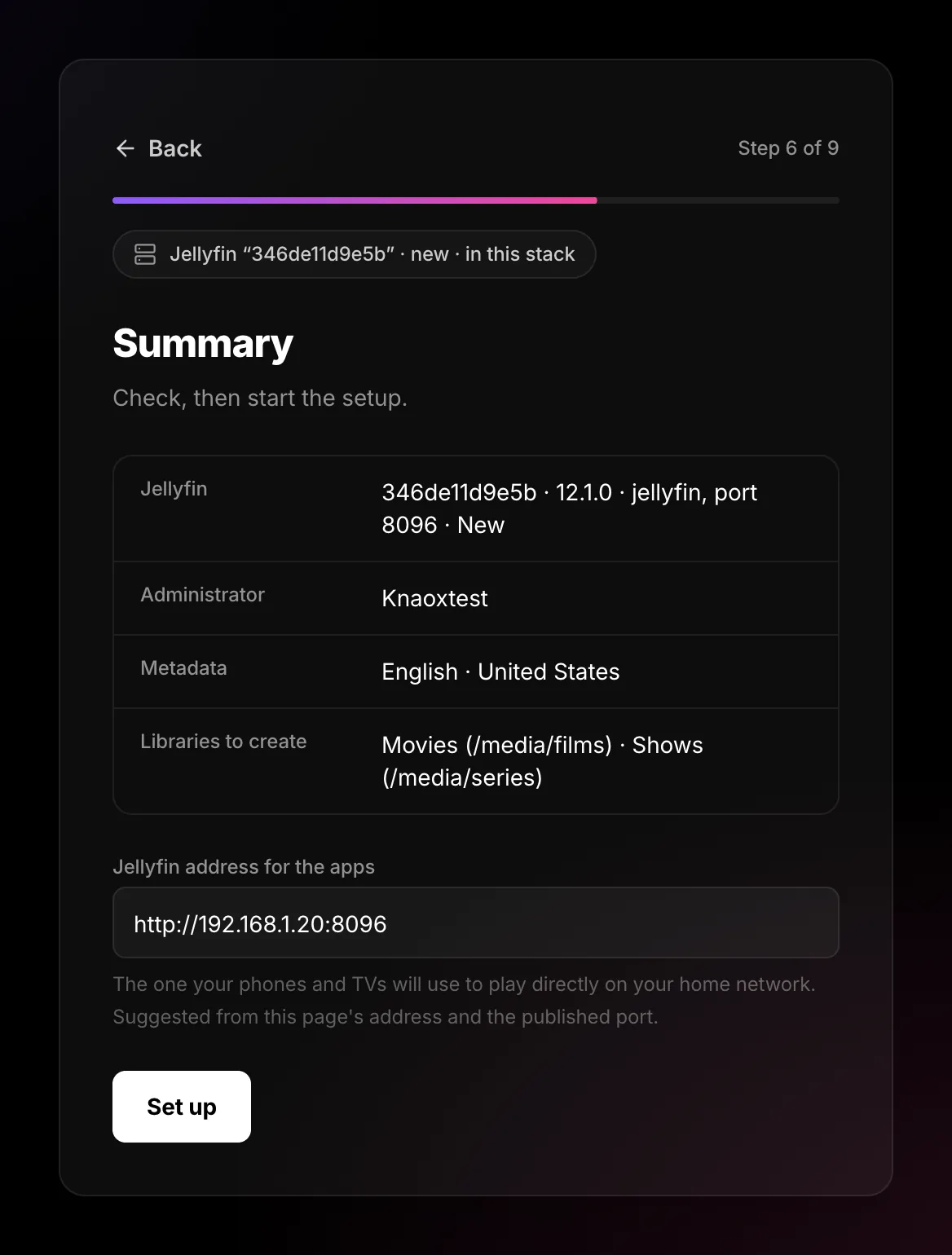
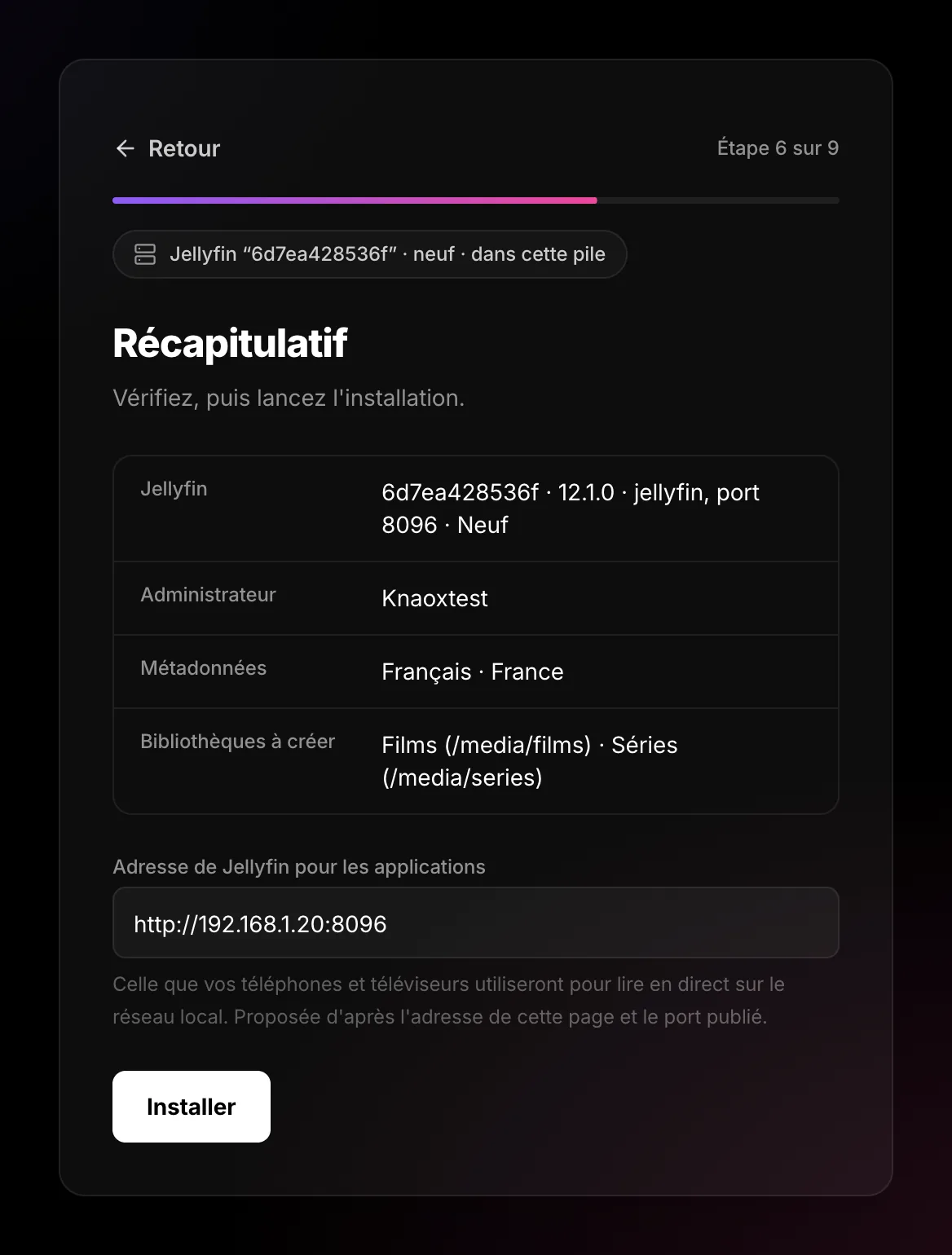
The Jellyfin address for the appsL’adresse de Jellyfin pour les applications
At home, your phones and TVs read the videos directly from Jellyfin — smoother than through Tentacle. They need Jellyfin’s address on your network: the wizard builds it from the address of this page and Jellyfin’s port, for example http://192.168.1.20:8096.À la maison, vos téléphones et téléviseurs lisent les vidéos directement chez Jellyfin — plus fluide qu’en passant par Tentacle. Il leur faut l’adresse de Jellyfin sur votre réseau : l’assistant la construit à partir de l’adresse de cette page et du port de Jellyfin, par exemple http://192.168.1.20:8096.
localhost, which only means something on the server itself. Replace it with the machine’s address on the network (192.168.…).La proposition dit alors localhost, qui ne veut rien dire ailleurs que sur le serveur lui-même. Remplacez-le par l’adresse de la machine sur le réseau (192.168.…).The installationL’installation
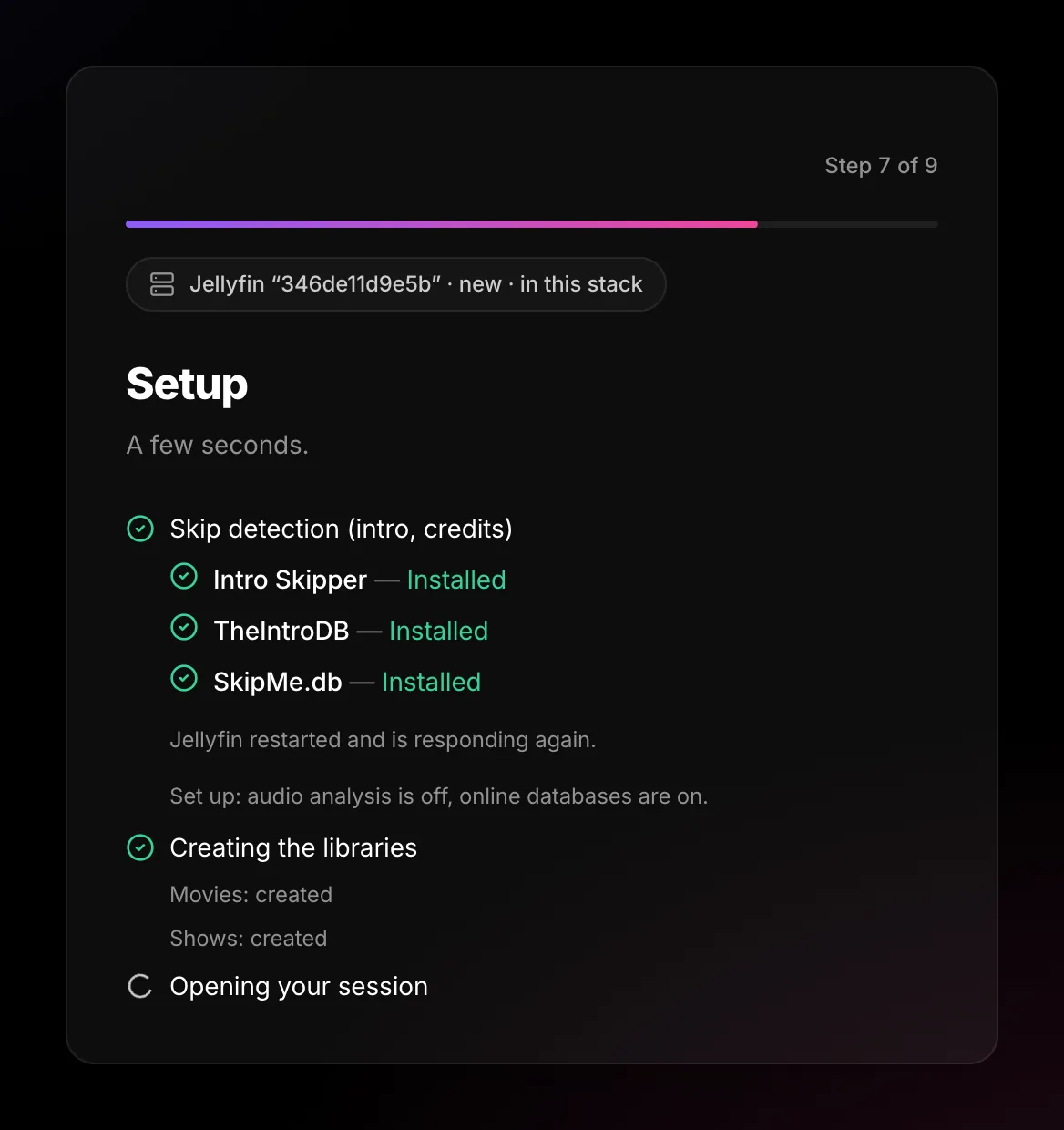
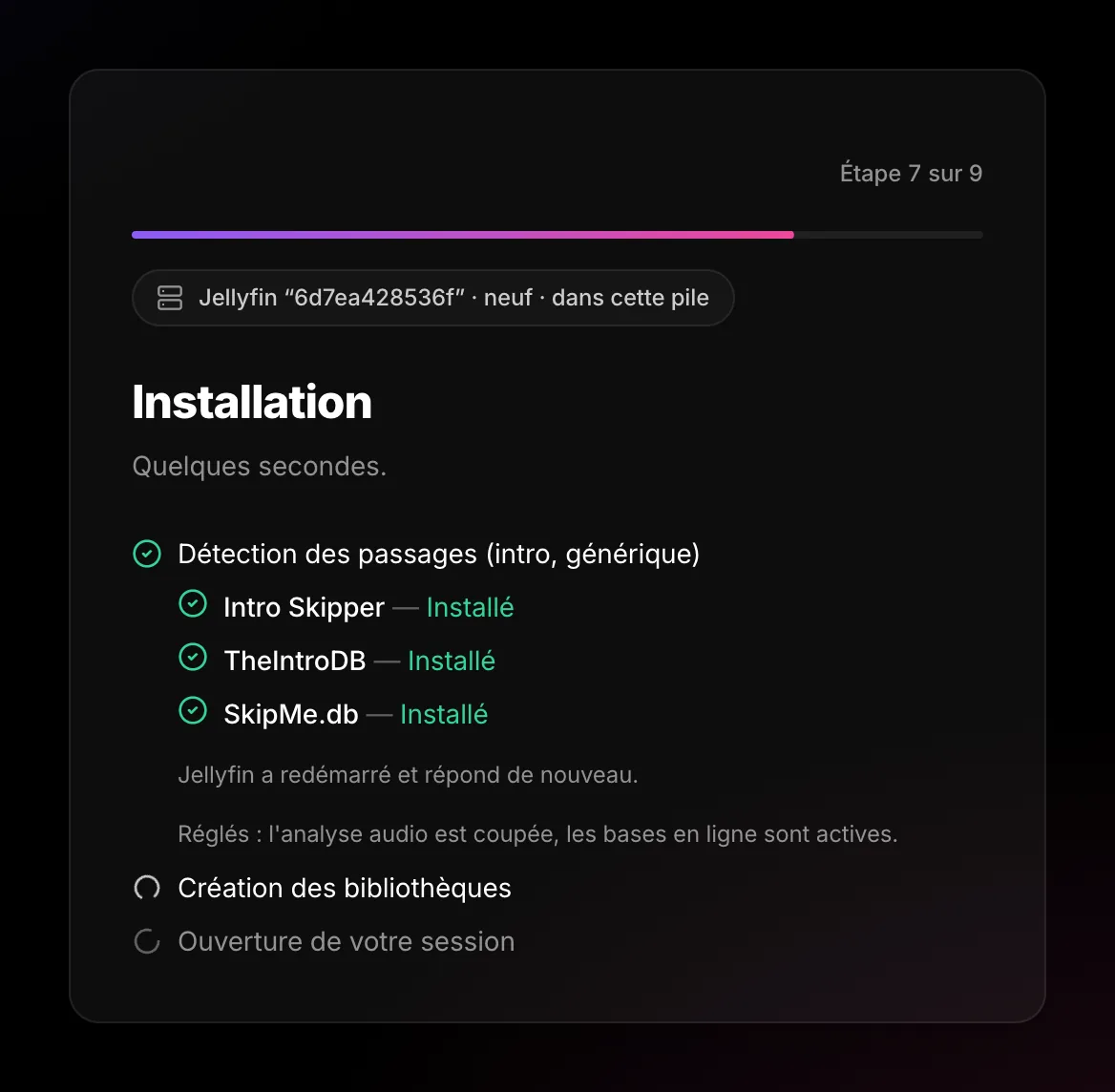
A few seconds — up to a minute when Jellyfin restarts for the skip plugins. Each line turns green as it is done:Quelques secondes — jusqu’à une minute quand Jellyfin redémarre pour les greffons de passages. Chaque ligne passe au vert quand elle est faite :
- skip detection (plugins, restart);la détection des passages (greffons, redémarrage) ;
- the libraries (“created”, or “already there”) — or the recommended settings ticked;les bibliothèques (« créée », ou « déjà là ») — ou les réglages conseillés cochés ;
- opening your session: you are signed in to Tentacle as the administrator.l’ouverture de votre session : vous êtes connecté à Tentacle en administrateur.
Questions you might haveLes questions qu’on se pose
A library says “not created”Une bibliothèque dit « non créée »
Usually a path Jellyfin cannot see. The rest is done; create it later in Jellyfin › Dashboard › Libraries, or see Libraries.
Le plus souvent, un chemin que Jellyfin ne voit pas. Le reste est fait ; créez-la plus tard dans Jellyfin › Tableau de bord › Médiathèques, ou voyez Bibliothèques.
It stays on “Opening your session”Il reste sur « Ouverture de votre session »
Wait a minute (Jellyfin may still be restarting), then reload the page. The wizard asks for the password again and resumes where it was.
Attendez une minute (Jellyfin redémarre peut-être encore), puis rechargez la page. L’assistant redemande le mot de passe et reprend où il en était.
I made a mistake in the address for the appsJe me suis trompé dans l’adresse pour les applications
Fix it later in Administration › Services › Jellyfin. The apps pick it up at their next start.
Corrigez-la plus tard dans Administration › Services › Jellyfin. Les applications la reprennent à leur prochain démarrage.