Tentacle TV on your LG TVTentacle TV sur votre TV LG
From the free LG developer account all the way to pairing — every step, with real screenshots. Nothing to buy, nothing to type on the remote.Du compte développeur LG gratuit jusqu’au jumelage — chaque étape, avec de vraies captures. Rien à acheter, rien à taper à la télécommande.
About 15 minutesEnviron 15 minuteswebOS 4.0+ (2018 TVs and newer)webOS 4.0+ (TV 2018 et plus récentes)Windows · macOS · LinuxPackagePaquetv0.0.0
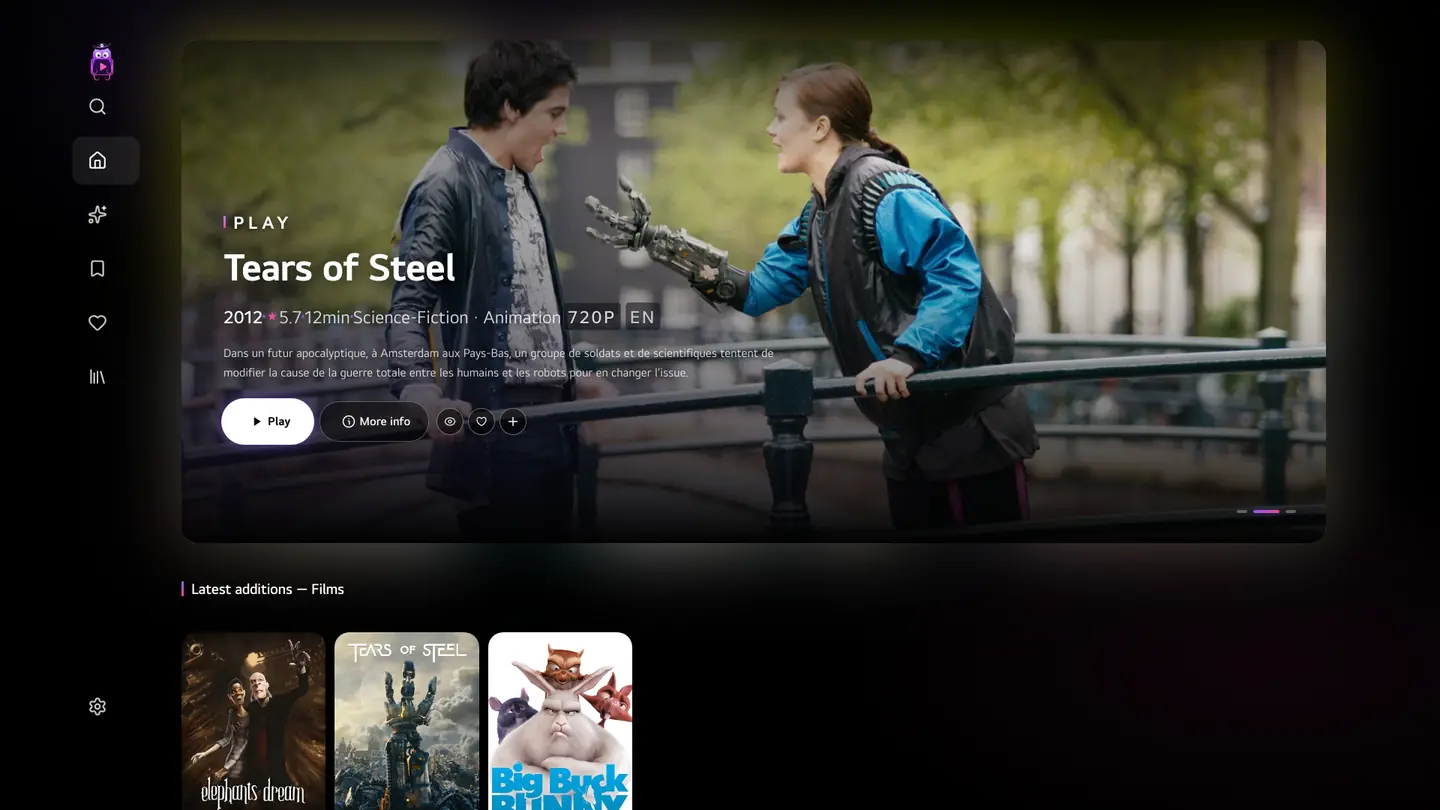
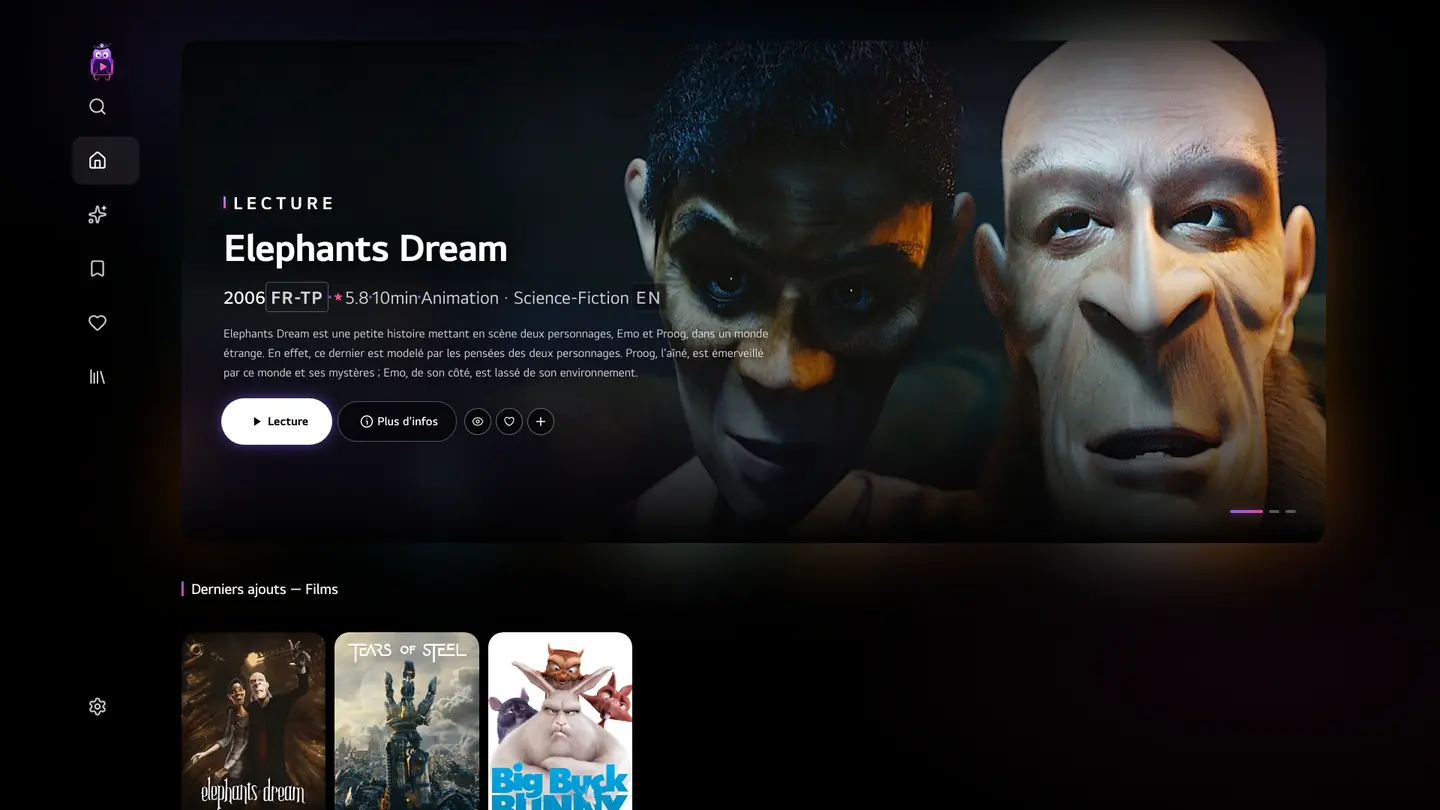
Where you will be in 15 minutes.Là où vous serez dans 15 minutes.
Before you startAvant de commencer
What you needCe qu’il vous faut
An LG TVUne TV LG
webOS 4.0 or later (2018 onward), connected to the internet.webOS 4.0 ou plus récent (depuis 2018), connectée à Internet.
A computerUn ordinateur
Windows, macOS or Linux, on the same network as the TV. Nothing to install beforehand.Windows, macOS ou Linux, sur le même réseau que la TV. Rien à installer au préalable.
A Tentacle serverUn serveur Tentacle
Already running (self-hosting guide), and a phone or computer signed in to it.Déjà installé (guide d’auto-hébergement), et un téléphone ou un ordinateur connecté dessus.
A free LG accountUn compte LG gratuit
We create it together in part 1.On le crée ensemble dans la partie 1.
A small shell on the TVUne petite coquille sur la TVThe installer only puts a lightweight package on the TV, through LG’s Developer Mode.L’installateur ne pose qu’un paquet léger sur la TV, par le mode développeur de LG.
A four-character codeUn code à quatre caractèresYou confirm it from a device already signed in: the TV receives your server’s address and a token.Vous le confirmez depuis un appareil déjà connecté : la TV reçoit l’adresse de votre serveur et un jeton.
Always up to dateToujours à jourThe interface is served by your server: updating the server updates the TV.L’interface est servie par votre serveur : le mettre à jour met à jour la TV.
1
In a browser · 3 min · onceDans un navigateur · 3 min · une seule fois
Create a free LG developer accountCréer un compte développeur LG gratuit
LG only lets Developer Mode run on a TV signed in to a developer account. It is free and takes three minutes.LG n’autorise le mode développeur que sur une TV connectée à un compte développeur. C’est gratuit et cela prend trois minutes.
1.1
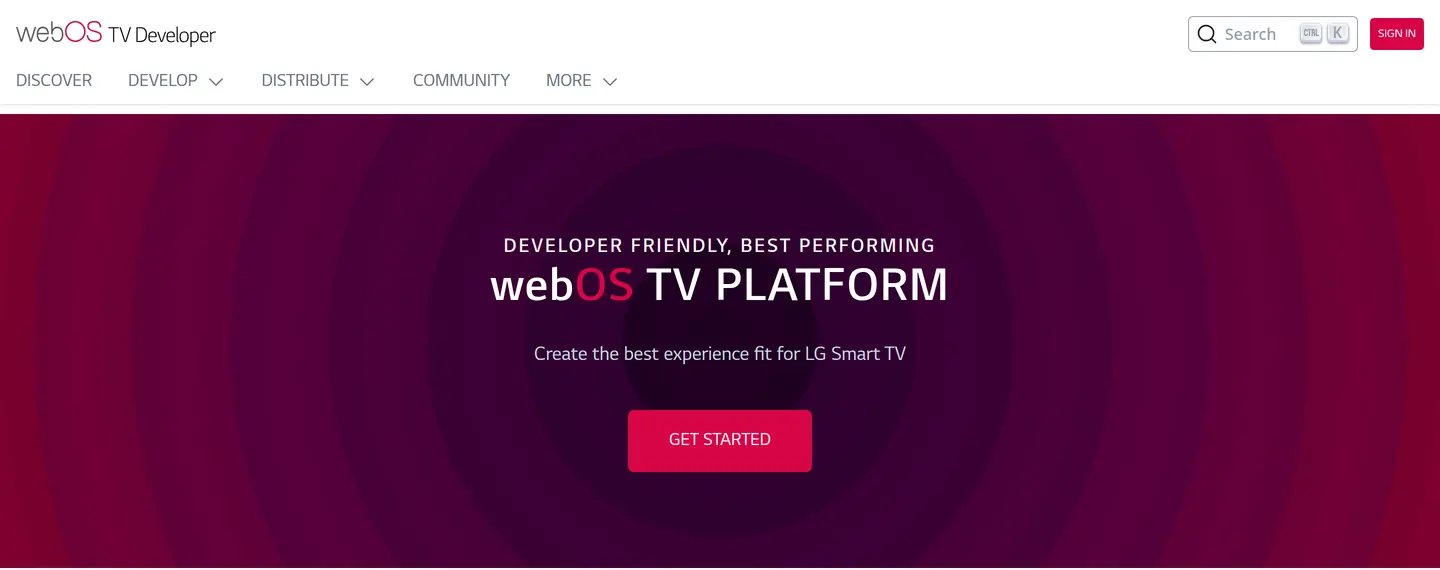
Open the LG developer portal and click SIGN INOuvrez le portail développeur LG et cliquez sur SIGN IN
The LG webOS TV developer portal.Le portail développeur LG webOS TV.
1.2
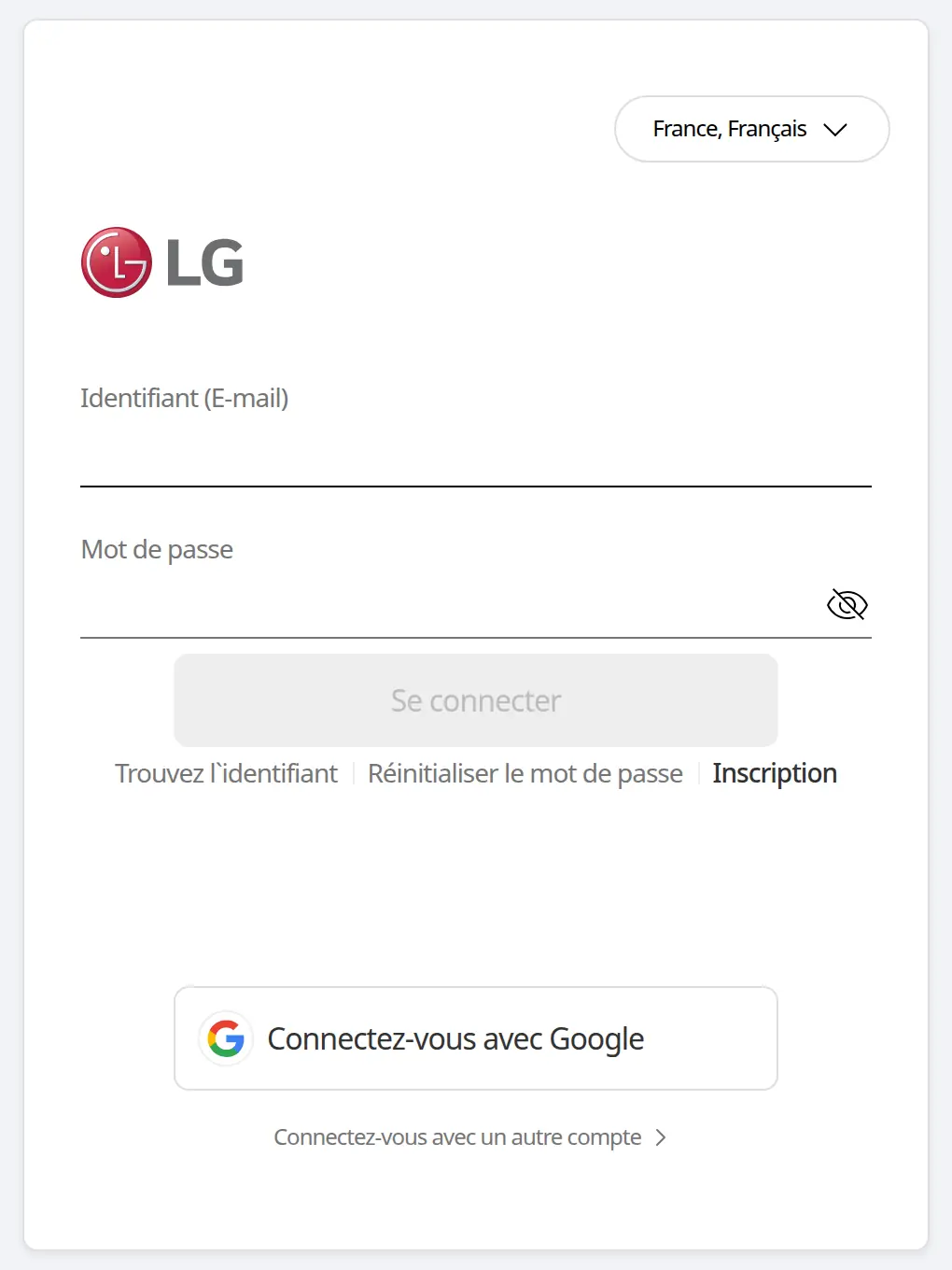
On the LG account page, choose Sign upSur la page du compte LG, choisissez Inscription
The page follows your country and language (selector at the top right). Already have an LG account? Try signing in with it first.La page suit votre pays et votre langue (sélecteur en haut à droite). Vous avez déjà un compte LG ? Essayez d’abord de vous connecter avec.
2
LG account — here in its French version.Le compte LG, ici dans sa version française.
1.3
Fill in the form, then confirm your emailRemplissez le formulaire, puis confirmez votre e-mail
Choose your country and accept LG’s terms.Choisissez votre pays et acceptez les conditions de LG.
Enter an email address and a password.Saisissez une adresse e-mail et un mot de passe.
Click the confirmation link LG sends you by email.Cliquez sur le lien de confirmation que LG vous envoie par e-mail.
Keep these credentials handyGardez ces identifiants sous la mainYou will type them once on the TV, in the next part.Vous les saisirez une fois sur la TV, dans la partie suivante.
2
On the TV, with the remote · 5 minSur la TV, à la télécommande · 5 min
Turn on Developer ModeActiver le mode développeur
LG’s own “Developer Mode” app opens the TV to apps from outside the store. You will leave its screen open until the end of part 3.L’application « Developer Mode » de LG ouvre la TV aux applications hors du store. Vous laisserez son écran ouvert jusqu’à la fin de la partie 3.
2.1
Install Developer Mode from the LG Content StoreInstallez Developer Mode depuis le LG Content Store
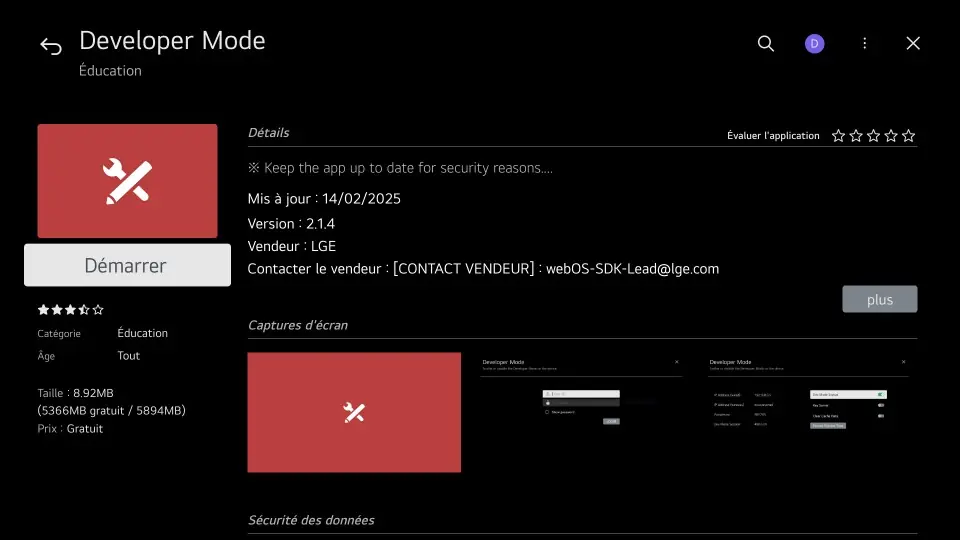
Open the LG Content Store (“Apps”), search for “Developer Mode” and install it.Ouvrez le LG Content Store (« Apps »), cherchez « Developer Mode » et installez-la.
1
The Developer Mode page in the LG Content Store (real TV). The button reads “Install” until the app is installed.La fiche Developer Mode dans le LG Content Store (vraie TV). Le bouton indique « Installer » tant que l’application n’est pas installée.
The screens of this step are shown in LG’s official guide and in the webOS Homebrew guide.Les écrans de cette étape sont montrés dans le guide officiel de LG et dans celui de webOS Homebrew.
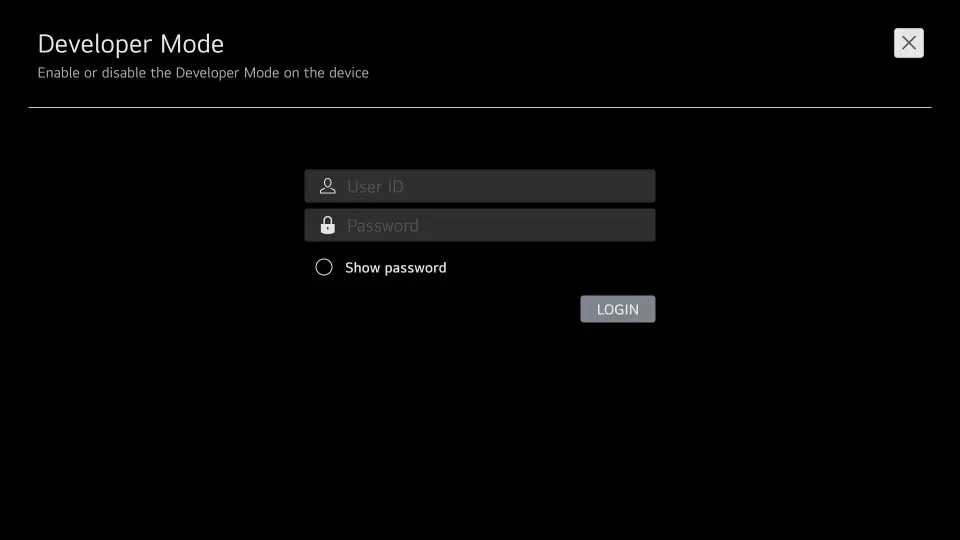
Open it and sign in with your LG developer accountOuvrez-la et connectez-vous avec votre compte développeur LG
12
Sign in with the LG account created in part 1.Connectez-vous avec le compte LG créé en partie 1.
The screens of this step are shown in LG’s official guide and in the webOS Homebrew guide.Les écrans de cette étape sont montrés dans le guide officiel de LG et dans celui de webOS Homebrew.
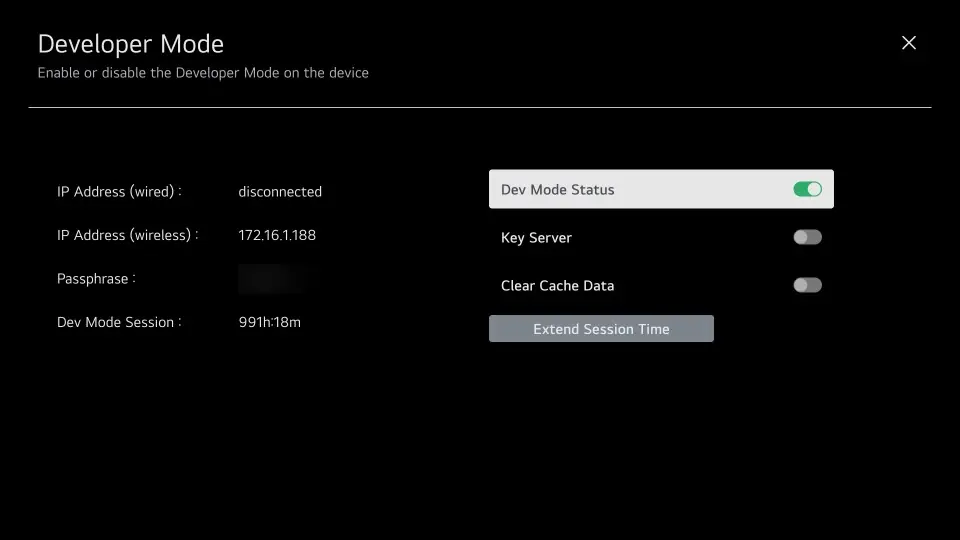
Set Dev Mode Status to ONMettez Dev Mode Status sur ON
The TV restarts on its own. This is expected.La TV redémarre d’elle-même. C’est normal.
1
Dev Mode Status: ON (the TV restarts after switching it).Dev Mode Status : ON (la TV redémarre après la bascule).
The screens of this step are shown in LG’s official guide and in the webOS Homebrew guide.Les écrans de cette étape sont montrés dans le guide officiel de LG et dans celui de webOS Homebrew.
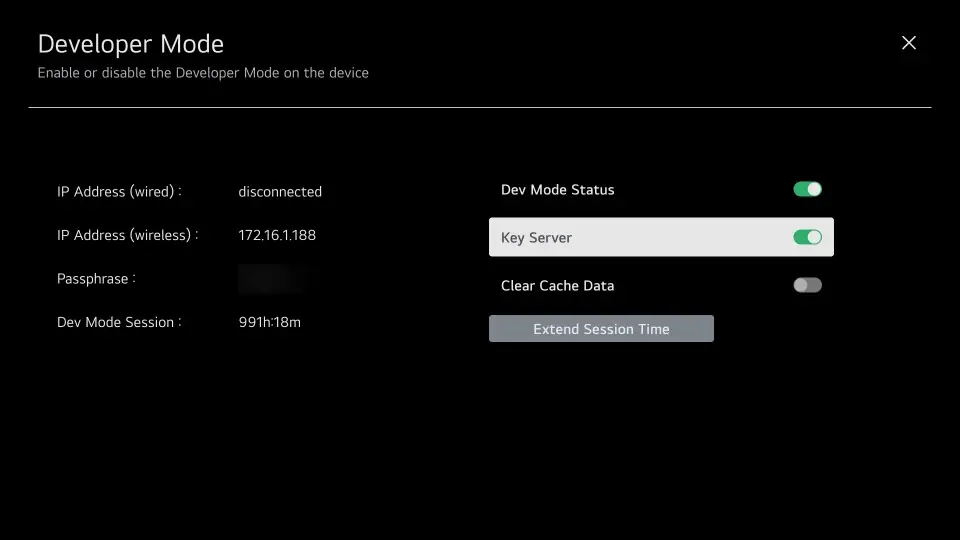
Reopen Developer Mode and turn on Key ServerRouvrez Developer Mode et activez Key Server
This step is not optionalCette étape n’est pas facultative“Dev Mode Status: ON” is not enough. Only Key Server makes the TV publish the key without which nothing can be installed — and it is what displays the passphrase.« Dev Mode Status : ON » ne suffit pas. Seul le Key Server fait publier à la TV la clé sans laquelle rien ne s’installe — et c’est lui qui affiche la phrase secrète.
1
Key Server: ON — mandatory.Key Server : ON — indispensable.
The screens of this step are shown in LG’s official guide and in the webOS Homebrew guide.Les écrans de cette étape sont montrés dans le guide officiel de LG et dans celui de webOS Homebrew.
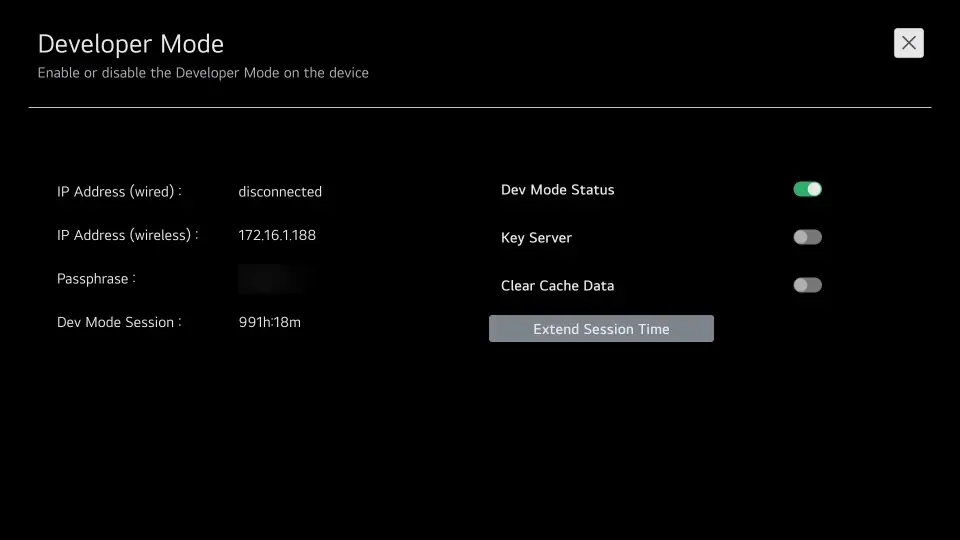
Note the IP address and the passphrase — and leave the screen openNotez l’adresse IP et la phrase secrète — et laissez l’écran ouvert
IP address of the TV, e.g. 192.168.1.42.Adresse IP de la TV, par exemple 192.168.1.42.
Passphrase: six characters, bottom left of the screen. It changes with every session.Phrase secrète : six caractères, en bas à gauche de l’écran. Elle change à chaque session.
Dev Mode Session shows the time left; Extend Session Time prolongs it before it expires.Dev Mode Session indique le temps restant ; Extend Session Time le prolonge avant expiration.
12
① the TV’s IP address, ② the passphrase (blurred here).① l’adresse IP de la TV, ② la phrase secrète (floutée ici).
The screens of this step are shown in LG’s official guide and in the webOS Homebrew guide.Les écrans de cette étape sont montrés dans le guide officiel de LG et dans celui de webOS Homebrew.
Install Tentacle TV from the computerInstaller Tentacle TV depuis l’ordinateur
A small installer asks for the two things on the TV screen, then does everything else: Node.js if missing, LG’s tools, the TV key, the latest package, installation and launch.Un petit installateur demande les deux informations affichées sur la TV, puis fait tout le reste : Node.js s’il manque, outils de LG, clé de la TV, dernier paquet, installation et lancement.
3.1
Paste one line in a terminalCollez une ligne dans un terminal
It downloads the latest installer and starts the installation. Your system is preselected.Elle télécharge le dernier installateur et lance l’installation. Votre système est présélectionné.
Open PowerShell (Start menu › type “powershell”), then paste:Ouvrez PowerShell (menu Démarrer › tapez « powershell »), puis collez :
PowerShell
[Net.ServicePointManager]::SecurityProtocol='Tls12'; $ProgressPreference='SilentlyContinue'; $d="$env:TEMP\tentacle-tv"; Remove-Item $d -Recurse -Force -EA 0; mkdir $d | Out-Null; iwr https://github.com/Knaox/Tentacle-TV/releases/download/webos-latest/installateur-tentacle-tv.zip -OutFile "$d\i.zip"; Expand-Archive "$d\i.zip" $d -Force; cd "$d\Tentacle TV - LG webOS"; .\Installer-Tentacle-TV.cmd
No terminal? Download the installer archive, unzip it and double-click Installer-Tentacle-TV.cmd.Pas de terminal ? Téléchargez l’archive de l’installateur, décompressez-la et double-cliquez sur Installer-Tentacle-TV.cmd.
Open Terminal (Applications › Utilities), then paste:Ouvrez Terminal (Applications › Utilitaires), puis collez :
Terminal
cd "$(mktemp -d)" && curl -fsSL -O https://github.com/Knaox/Tentacle-TV/releases/download/webos-latest/installateur-tentacle-tv.zip && unzip -q installateur-tentacle-tv.zip && cd "Tentacle TV - LG webOS" && bash installer.sh
Why not a double-click on macOS?Pourquoi pas un double-clic sur macOS ?Finder refuses unsigned downloaded scripts, and right-click › Open no longer bypasses it since macOS 15. The Terminal line above is not affected.Le Finder refuse les scripts téléchargés non signés, et le clic droit › Ouvrir ne contourne plus ce blocage depuis macOS 15. La ligne de Terminal ci-dessus n’est pas concernée.
Open a terminal, then paste (the same line as macOS):Ouvrez un terminal, puis collez (la même ligne que sur macOS) :
Terminal
cd "$(mktemp -d)" && curl -fsSL -O https://github.com/Knaox/Tentacle-TV/releases/download/webos-latest/installateur-tentacle-tv.zip && unzip -q installateur-tentacle-tv.zip && cd "Tentacle TV - LG webOS" && bash installer.sh
On a minimal install, curl and unzip may be missing: sudo apt install curl unzip (Debian, Ubuntu) or sudo dnf install curl unzip (Fedora).Sur une installation minimale, curl et unzip peuvent manquer : sudo apt install curl unzip (Debian, Ubuntu) ou sudo dnf install curl unzip (Fedora).
3.2
Answer the two questions — the installer does the restRépondez aux deux questions — l’installateur fait le reste
Type the TV’s IP address and the passphrase shown by Developer Mode. The installer speaks French for now; here is its complete run, with an example address:Tapez l’adresse IP de la TV et la phrase secrète affichée par Developer Mode. Voici le déroulé complet de l’installateur, avec une adresse d’exemple :
bash installer.sh
Node.js est absent : installation d'une copie portable (une seule fois)…
✓ Node.js portable installé dans ~/.tentacle-tv/node
╭──────────────────────────────────────────────────╮ │Tentacle TV — installation sur téléviseur LG│ ╰──────────────────────────────────────────────────╯…[1]Les informations affichées sur le téléviseur L'adresse IP figure sur l'écran de Developer Mode, et aussi dans
Paramètres › Général › À propos de ce téléviseur › Réseau.
Adresse IP du téléviseur (ex. 192.168.1.42) : 192.168.1.42
Phrase secrète (6 caractères, en bas à gauche de l'écran) : ••••••[2]Le téléviseur répond-il ?✓ mode développeur joignable sur 192.168.1.42
[3]L'outillage de LG Première exécution : installation de la CLI webOS de LG…✓ CLI webOS installée
[4]Enregistrement du téléviseur✓ téléviseur enregistré sous « tentacle-tv »
[5]Récupération de la clé du téléviseur✓ clé en place
[6]Téléchargement de Tentacle TV https://github.com/Knaox/Tentacle-TV/releases/download/webos-latest/tentacle-tv.ipk
0.3 Mo à rapatrier…
✓ paquet rapatrié
[7]Installation sur le téléviseur✓ Tentacle TV est installée
[8]Démarrage✓ Tentacle TV s'ouvre sur le téléviseur
Terminé.
The installer’s own messages, word for word (welcome text shortened). The first two lines only appear when Node.js is missing; on later runs, step [3] just says “CLI webOS déjà présente”.Les messages de l’installateur, mot pour mot (texte d’accueil abrégé). Les deux premières lignes n’apparaissent que si Node.js manque ; aux exécutions suivantes, l’étape [3] indique simplement « CLI webOS déjà présente ».
Type the passphrase exactly as shownRecopiez la phrase secrète telle qu’affichéeLowercase is fine — the installer uppercases it for you, as LG displays it.Les minuscules passent — l’installateur la met en capitales, comme LG l’affiche.
3.3
Tentacle TV is on the TVTentacle TV est sur la TV
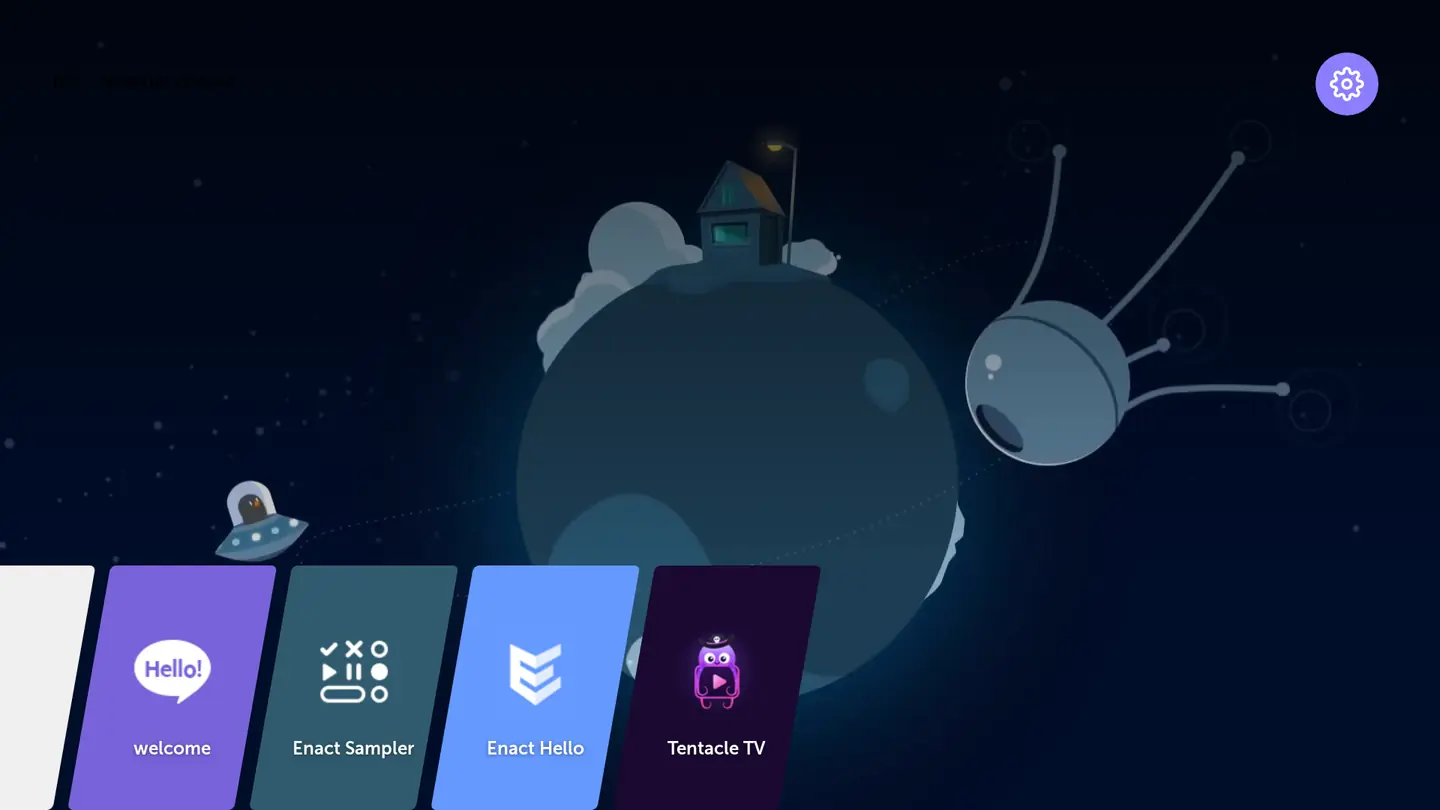
It opens on its own at the end of the installation, and now sits in the list of apps like any other.Elle s’ouvre d’elle-même à la fin de l’installation, et rejoint la liste des applications comme les autres.
1
The Tentacle TV tile in the webOS launcher (webOS 6 emulator).La tuile Tentacle TV dans le lanceur webOS (émulateur webOS 6).
4
TV + phone or computer · 1 minTV + téléphone ou ordinateur · 1 min
Pair the TV with your serverJumeler la TV avec votre serveur
Nothing to type on the remote: the TV shows a code, a device already signed in to Tentacle confirms it.Rien à taper à la télécommande : la TV affiche un code, un appareil déjà connecté à Tentacle le confirme.
4.1
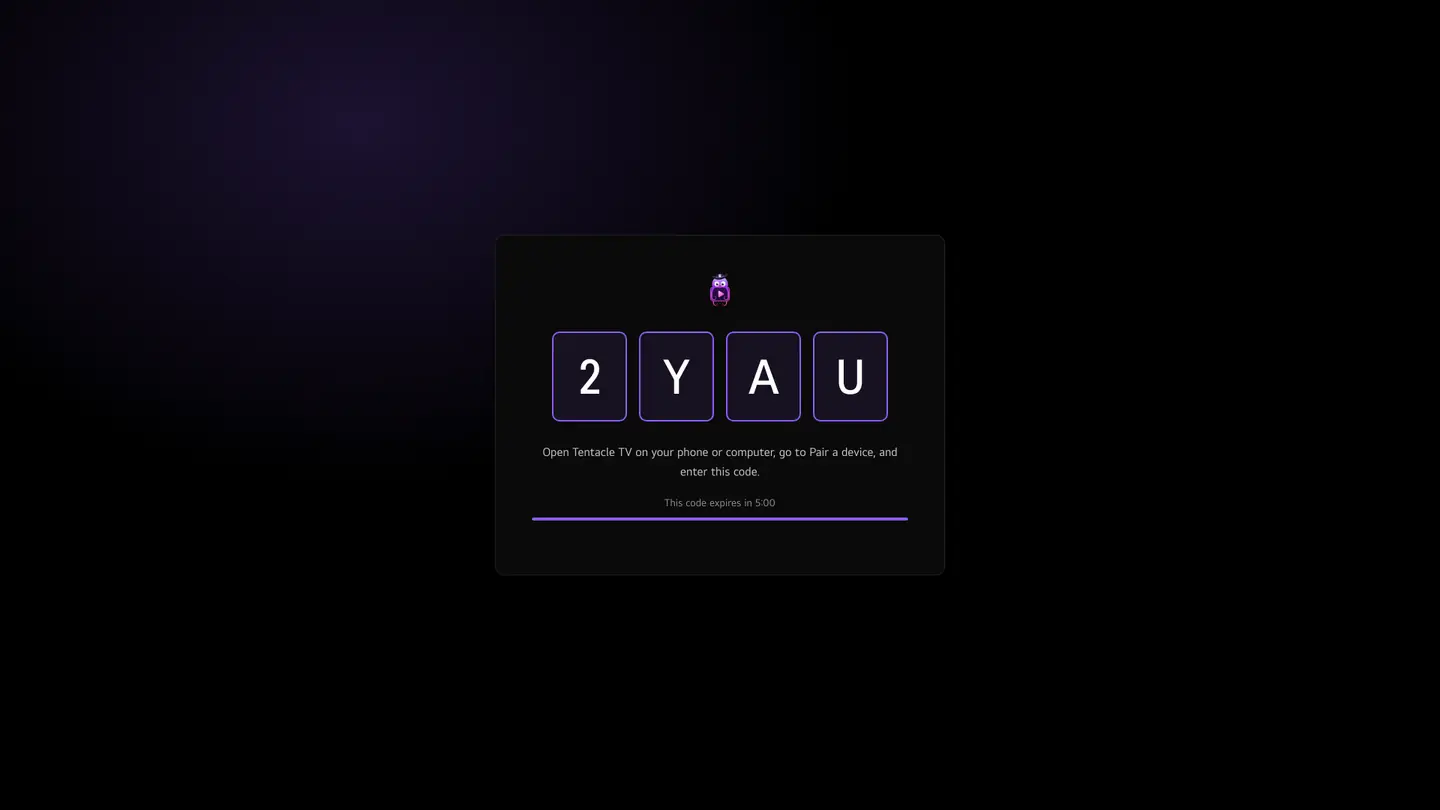
The TV shows a four-character codeLa TV affiche un code à quatre caractères
It stays valid for five minutes — the countdown is under the code.Il reste valable cinq minutes — le compte à rebours est sous le code.
1
On a TV set to English. The texts follow the TV’s language.Ici sur une TV réglée en anglais : les textes suivent la langue de la TV et s’affichent en français sur une TV en français.
4.2
On your phone or computer, open Pair the TVSur votre téléphone ou ordinateur, ouvrez Jumeler la TV
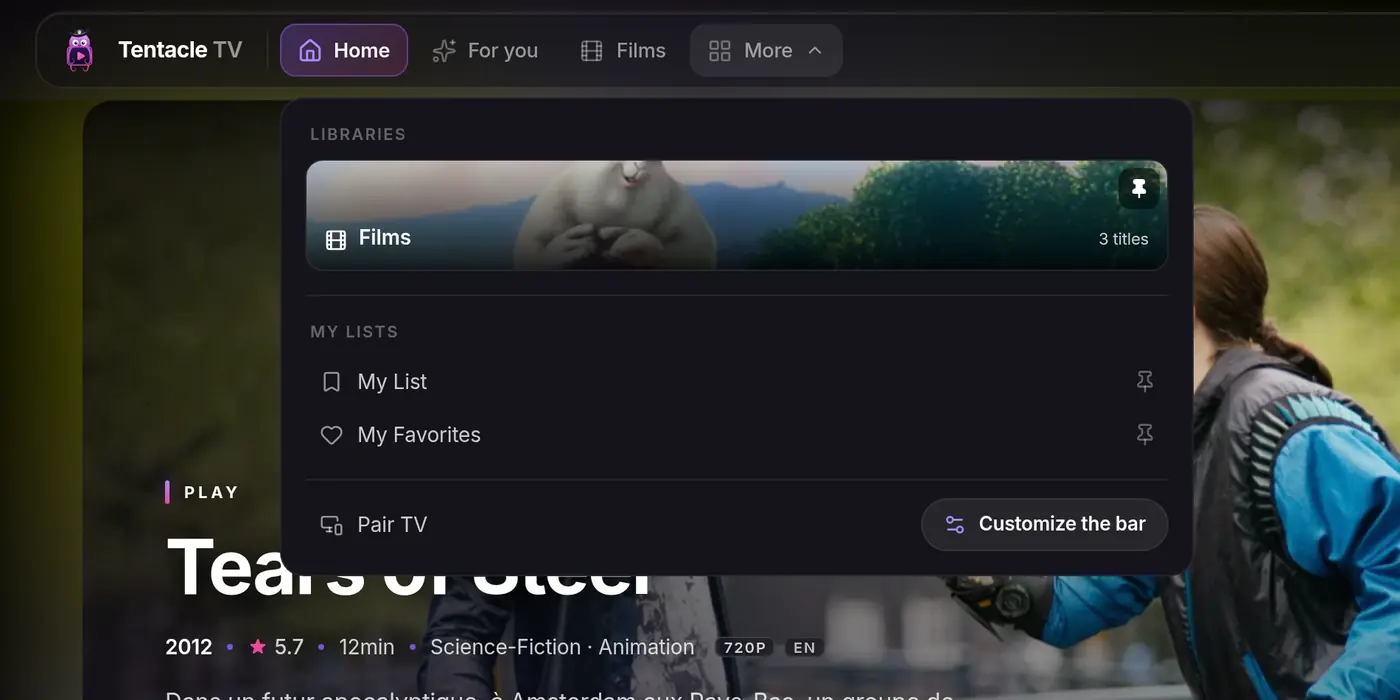
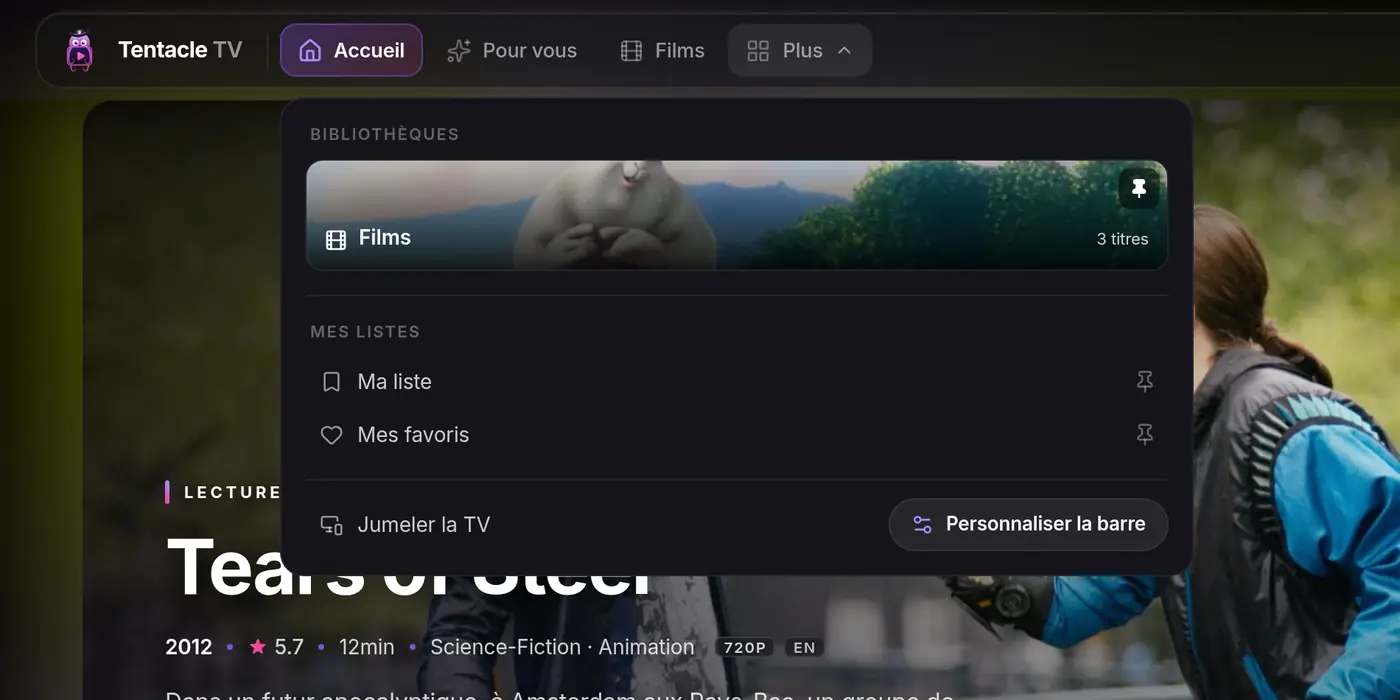
In Tentacle TV, signed in to your server: menu More › Pair TV on a computer, Profile › Pair a device on a phone.Dans Tentacle TV, connecté à votre serveur : menu Plus › Jumeler la TV sur ordinateur, Profil › Jumeler un appareil sur téléphone.
tentacle.your-home.lan
1122
① More, ② Pair TV — in the web app.① Plus, ② Jumeler la TV — dans l’app web.
4.3
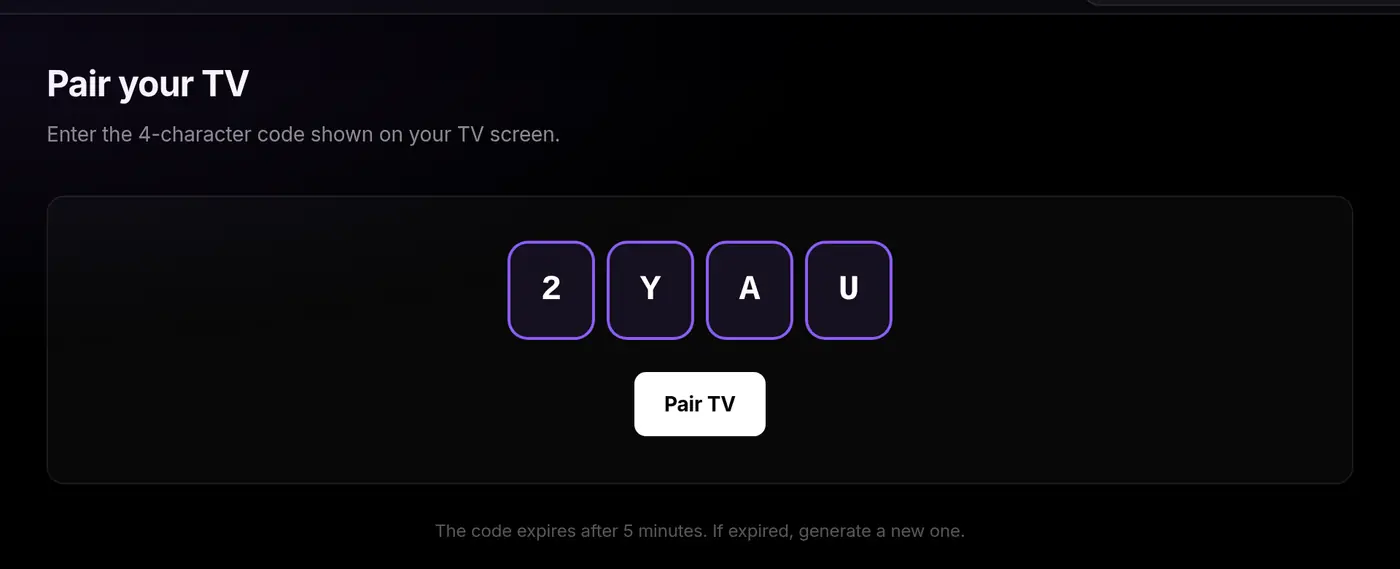
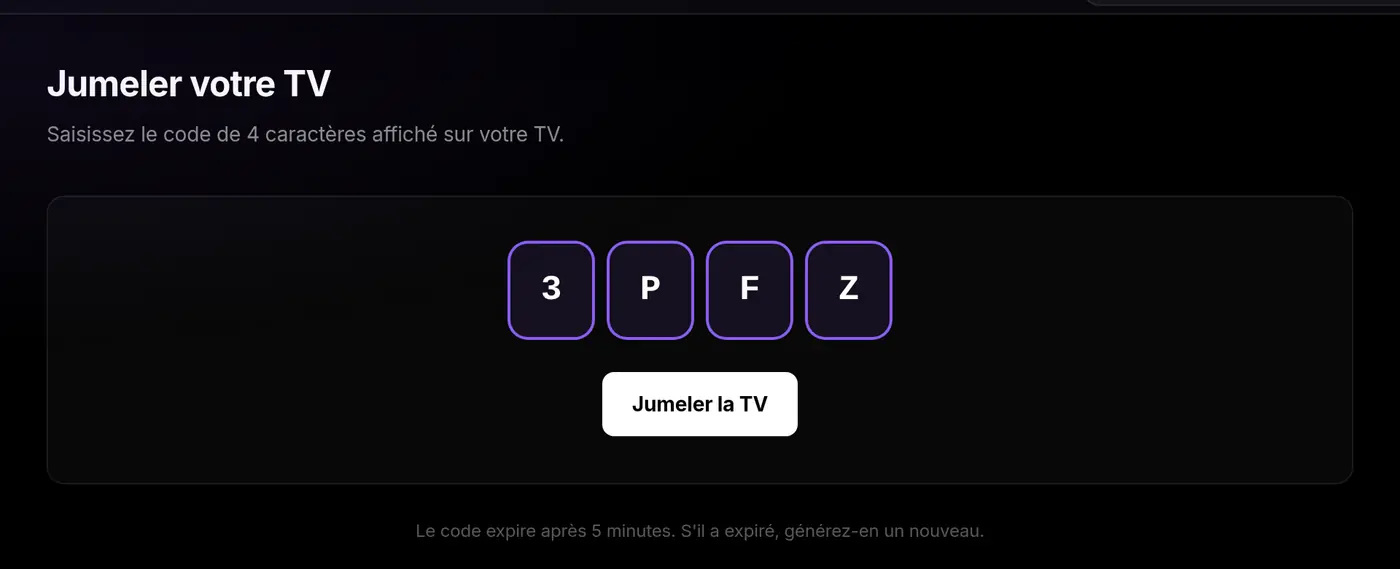
Enter the four characters, then Pair the TVSaisissez les quatre caractères, puis Jumeler la TV
122
① The code from the TV, ② Pair the TV.① Le code de la TV, ② Jumeler la TV.
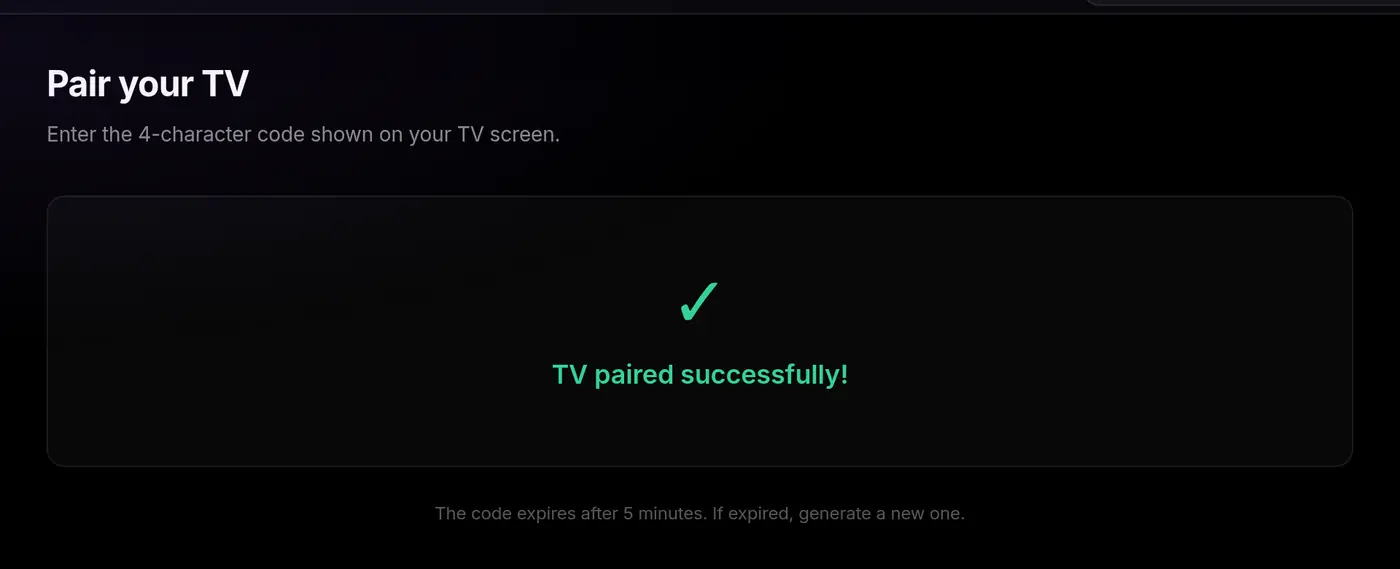
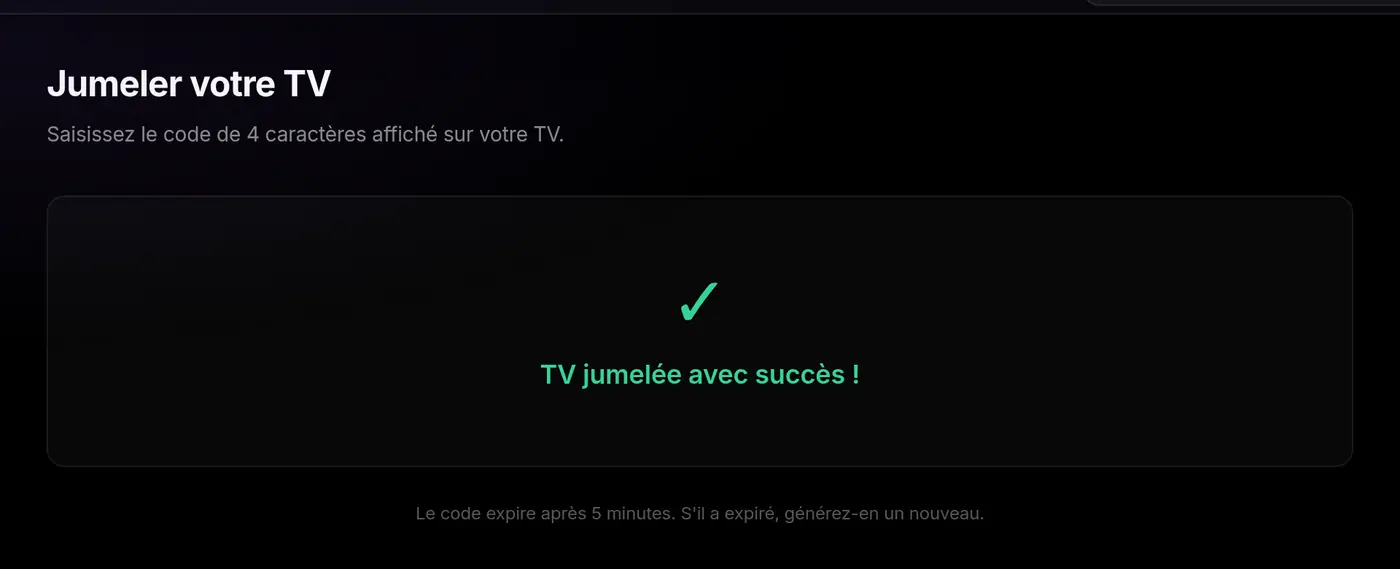
The confirmation — the TV follows within seconds.La confirmation — la TV suit dans la seconde.
From a phoneDepuis un téléphoneSame screen, same four boxes: Profile › Pair a device.Même écran, mêmes quatre cases : Profil › Jumeler un appareil.
4.4
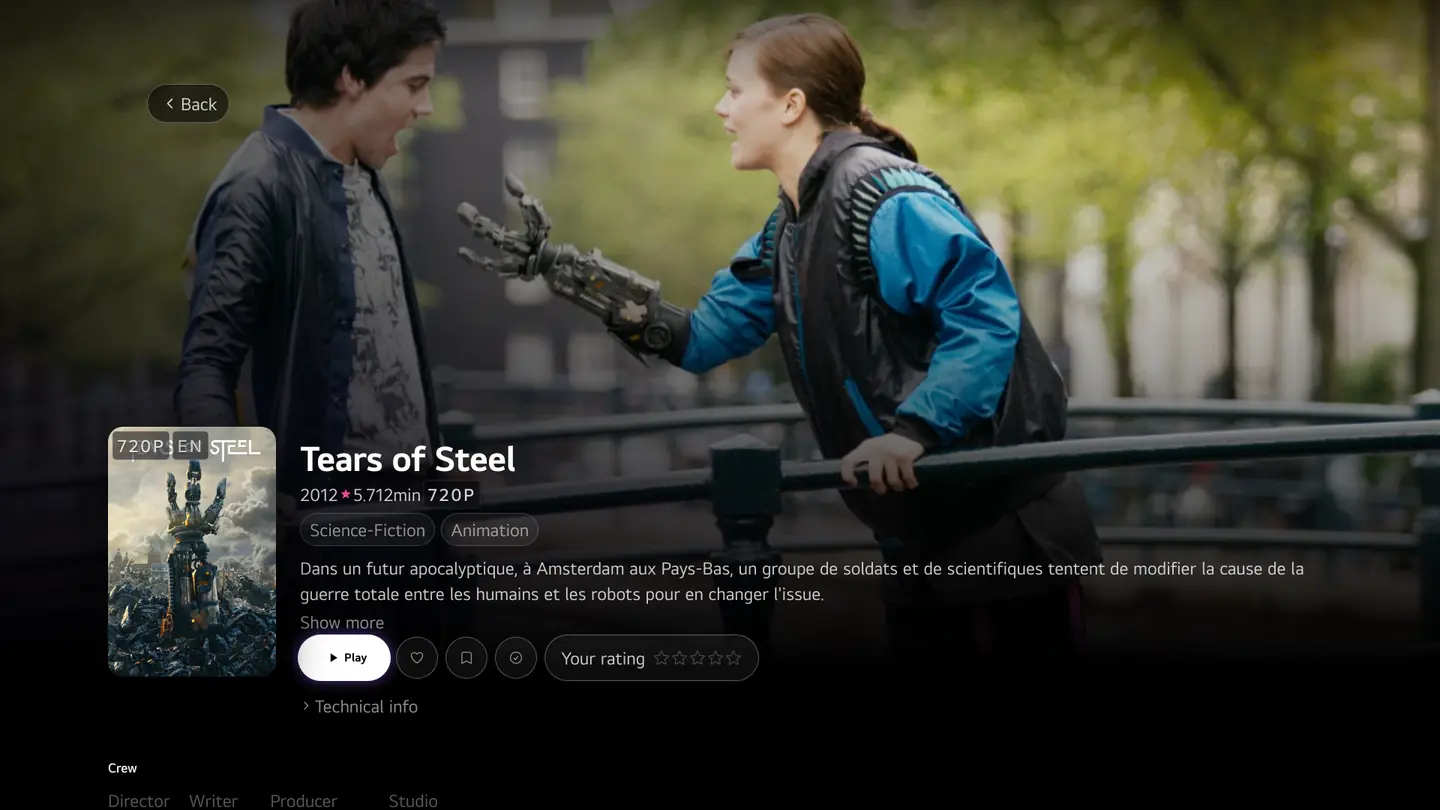
You’re done: your library is on the TVC’est prêt : votre médiathèque est sur la TV
Home, with your server’s libraries.L’accueil, avec les bibliothèques de votre serveur.
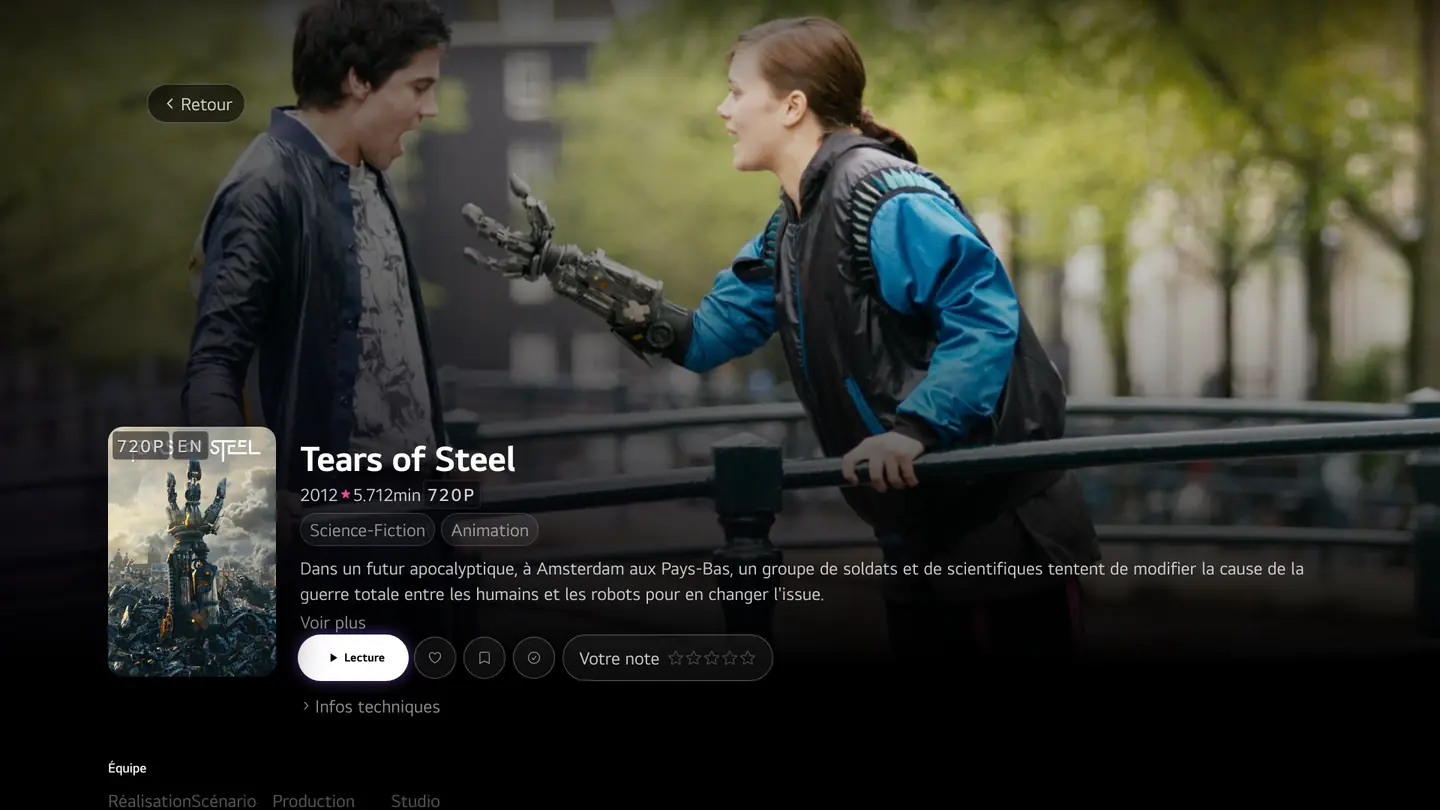
A film’s page, ready to play.La fiche d’un film, prête à lire.
Installed and pairedInstallée et jumelée
You can close Developer Mode. The TV stays paired: next time, Tentacle TV opens straight on your library.Vous pouvez fermer Developer Mode. La TV reste jumelée : la prochaine fois, Tentacle TV s’ouvre directement sur votre médiathèque.
Good to knowBon à savoir
Updates are automaticLes mises à jour sont automatiques
The TV interface is served by your Tentacle server; the package on the TV is only its shell. Update the server and the TV follows.L’interface TV est servie par votre serveur Tentacle ; le paquet posé sur la TV n’en est que la coquille. Mettez le serveur à jour, la TV suit.
The Developer Mode sessionLa session du mode développeur
LG’s Developer Mode removes the apps it installed when its session expires. Extend it with “Extend Session Time” in Developer Mode; if the app disappears, reopen Developer Mode and run the installer again.Le mode développeur de LG désinstalle ce qu’il a installé quand sa session expire. Prolongez-la avec « Extend Session Time » dans Developer Mode ; si l’application disparaît, rouvrez Developer Mode et relancez l’installateur.
Several TVsPlusieurs téléviseurs
Repeat parts 2 to 4 for each TV: each one pairs with its own code and appears under “Paired devices”.Refaites les parties 2 à 4 pour chaque TV : chacune se jumelle avec son propre code et apparaît sous « Appareils jumelés ».
What the relay knowsCe que sait le relais
The code travels through a public relay that hands the TV your server’s address and a token once, then forgets them.Le code transite par un relais public qui remet une seule fois à la TV l’adresse de votre serveur et un jeton, puis les oublie.
TroubleshootingDépannage
The installer always names the likely cause. Here are the usual ones, most frequent first.L’installateur nomme toujours la cause probable. Voici les habituelles, de la plus fréquente à la plus rare.
“no response from … on port 9991”« aucune réponse de … sur le port 9991 »
Key Server is off in Developer Mode — by far the most common cause. Only Key Server opens this port; “Dev Mode Status: ON” is not enough.Key Server n’est pas activé dans Developer Mode — de loin la cause la plus fréquente. Seul le Key Server ouvre ce port ; « Dev Mode Status : ON » ne suffit pas.
Developer Mode is closed, or its session expired (“Extend Session Time” prolongs it).Developer Mode est fermée, ou sa session a expiré (« Extend Session Time » la prolonge).
Wrong IP address, or the computer and the TV are on different networks.Mauvaise adresse IP, ou l’ordinateur et la TV ne sont pas sur le même réseau.
“the key could not be fetched” / “Unable to parse private key”« la clé n’a pas pu être récupérée » / « Unable to parse private key »
The passphrase typed does not match the one on the TV. It changes with every session: read it again at the bottom left of Developer Mode and rerun the installer.La phrase secrète saisie ne correspond pas à celle de la TV. Elle change à chaque session : relisez-la en bas à gauche de Developer Mode et relancez l’installateur.
“Node.js could not be installed automatically”« Node.js n’a pas pu être installé automatiquement »
The installer downloads a portable Node.js from nodejs.org when none is found. If that fails (proxy, firewall), install the LTS version from nodejs.org and run the line again.L’installateur télécharge une copie portable de Node.js sur nodejs.org quand il n’en trouve pas. Si cela échoue (proxy, pare-feu), installez la version LTS depuis nodejs.org et relancez la ligne.
The TV shows “Pairing service unreachable”La TV affiche « Service de jumelage injoignable »
The TV cannot reach the internet. Check its network connection, then press Try again.La TV n’accède pas à Internet. Vérifiez sa connexion réseau, puis appuyez sur Réessayer.
The code expiredLe code a expiré
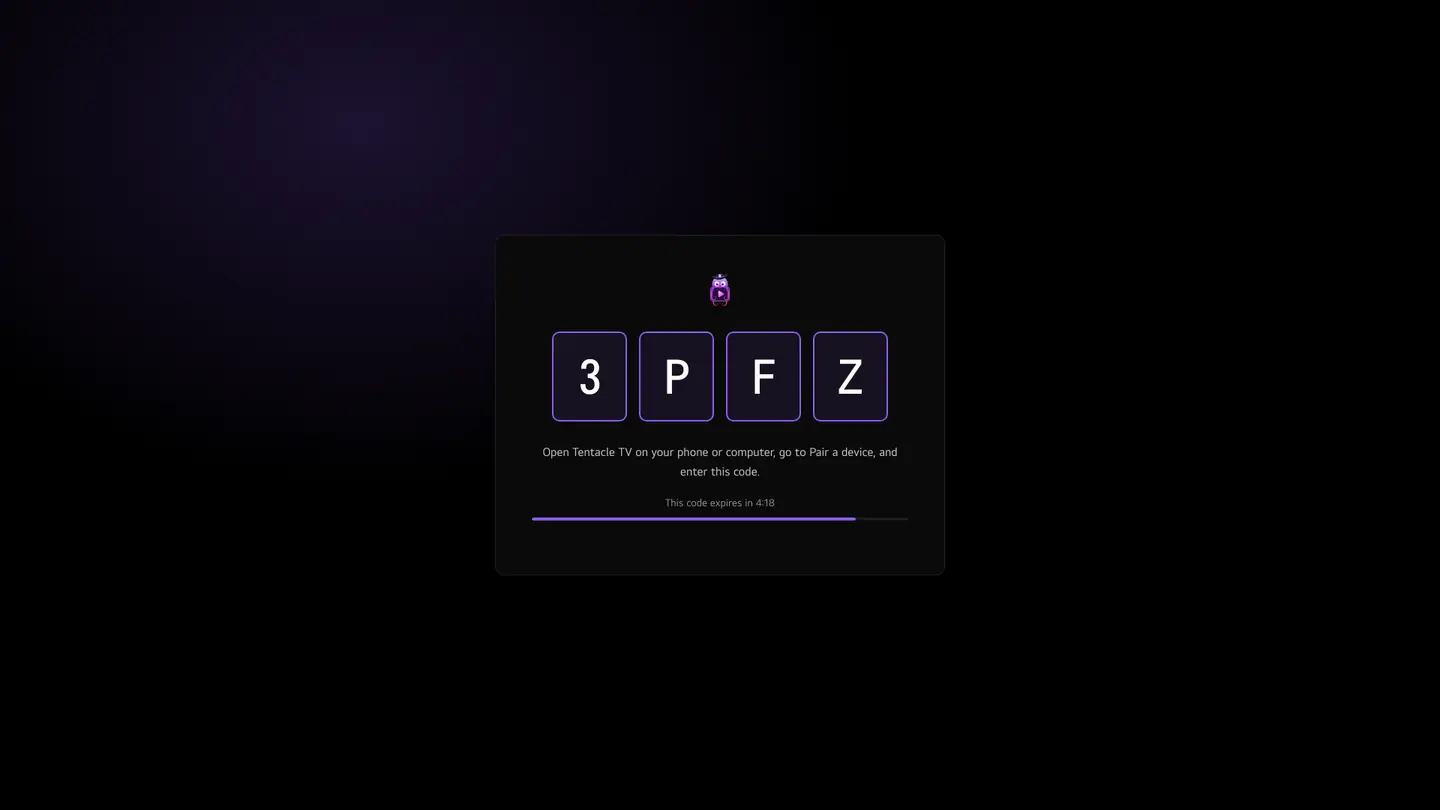
A code lasts five minutes. Once it expires, the TV shows Code expired: press New code and enter the new one.Un code dure cinq minutes. Passé ce délai, la TV affiche Code expiré : appuyez sur Nouveau code et saisissez le nouveau.
The app disappeared from the TVL’application a disparu de la TV
The Developer Mode session expired and LG removed the apps it had installed. Reopen Developer Mode, turn Key Server back on, and run the installer again.La session du mode développeur a expiré et LG a retiré les applications qu’il avait installées. Rouvrez Developer Mode, réactivez Key Server et relancez l’installateur.
I prefer doing it by hand (webOS CLI)Je préfère le faire à la main (CLI webOS)
The installer runs exactly these commands, with LG’s @webos-tools/cli:L’installateur exécute exactement ces commandes, avec la @webos-tools/cli de LG :
Replace the address and ABC123 with the values shown on your TV.Remplacez l’adresse et ABC123 par les valeurs affichées sur votre TV.
Still stuck?Toujours bloqué ?Write to us from the support page with the installer’s last message — it names the cause.Écrivez-nous depuis la page support avec le dernier message de l’installateur — il nomme la cause.